Regular Polygon
Objects / Other / Polygons / Regular Polygon (24 June, 2026)
Regular Polygons have been available since version R1.0.3;
They use a shader specifically designed for Tails7;
This type of polygon has its pros and cons:
Pros:
- Perspective correction
- The ability to use fewer objects to create, for example, a single wall compared to Quad.
- Fewer graphical artifacts
- No limitations for Direct3D 9 in rendering (the same as for Direct3D 11, OpenGL/ES)
Cons:
- Restrictions on vertex placement: a polygon must be configured such that two opposite edges are directly opposite each other; that is, a polygon can be flat, upright, or sloped.
- Disappear when the camera moves away
Alterable Values
|
Variable index |
Variable name |
Description |
Default value |
Required version |
|
0 / A |
_PointX_A |
Variable that stores the X value of point A in the polygon shader. |
(Automatically) |
R1.0.3_04.04.26 |
|
1 / B |
_PointY_A |
Variable that stores the Y value of point A in the polygon shader. |
||
|
2 / C |
_PointX_B |
Variable that stores the X value of point B in the polygon shader. |
||
|
3 / D |
_PointY_B |
Variable that stores the Y value of point B in the polygon shader. |
||
|
4 / E |
_PointX_C |
Variable that stores the X value of point C in the polygon shader. |
||
|
5 / F |
_PointY_C |
Variable that stores the Y value of point C in the polygon shader. |
||
|
6 / G |
_PointX_D |
Variable that stores the X value of point D in the polygon shader. |
||
|
7 / H |
_PointY_D |
Variable that stores the Y value of point D in the polygon shader. |
||
|
20 / U |
_LayerOffset |
Similar to Sprite, it shifts the object in layers; a positive value means the object will be above other objects, a negative value means the opposite. |
0 |
|
|
19 / T |
_Layer |
Variable that stores which layer the polygon object is on; by default it is the average of points A and C. |
(Automatically) |
Flags
|
Variable index |
Variable name |
Description |
Default value |
Required version |
|
0 / A |
_Active |
This variable determines whether the polygon is active; If False, it sets the correct position on the screen and the object's scale, then changes the value to True. |
(Automatically) |
R1.0.3_04.04.26 |
|
1 / B |
_Visibility_A |
This variable determines whether point A is visible. |
||
|
2 / C |
_Visibility_B |
This variable determines whether point B is visible. |
||
|
3 / D |
_Visibility_C |
This variable determines whether point C is visible. |
||
|
4 / E |
_Visibility_D |
This variable determines whether point D is visible. |
||
|
5 / F |
_IgnoreShowing |
This variable determines whether the polygon should ignore the visibility settings of points A, B, C, D and be always invisible or when needed. |
False |
|
|
6 / G |
_Delay |
A value calculated automatically that prevents a polygon from being visible or invisible in the preceding or following frame. |
(Automatically) |
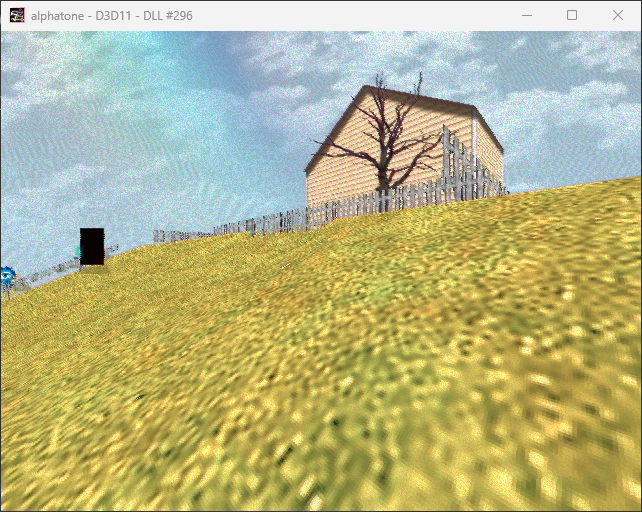
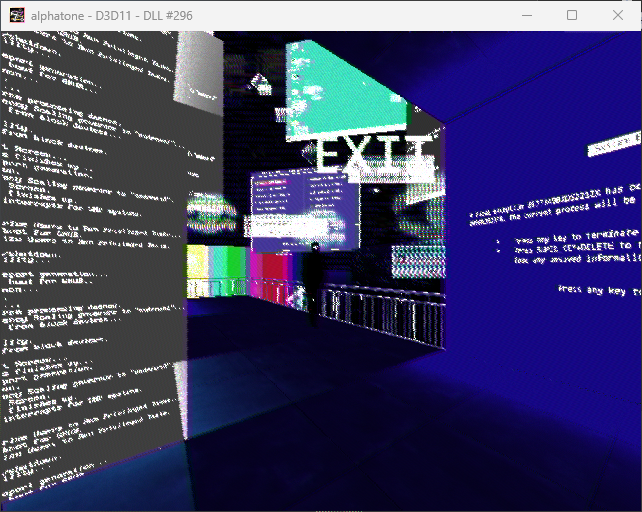
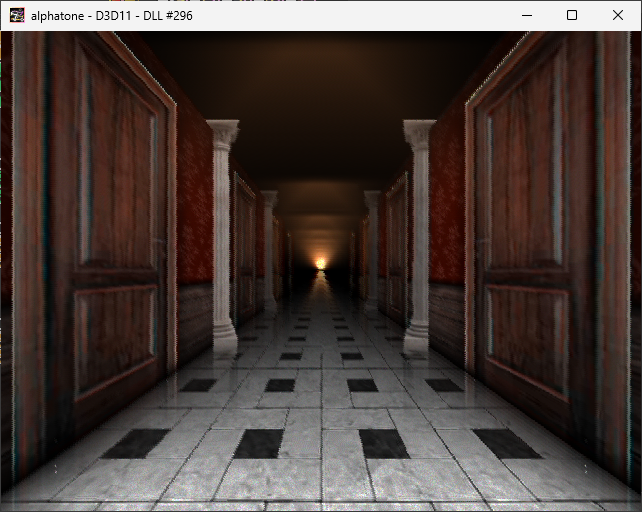
Example of Use:
Created with the Personal Edition of HelpNDoc: Effortlessly Spot and Fix Problems in Your Documentation with HelpNDoc's Project Analyzer